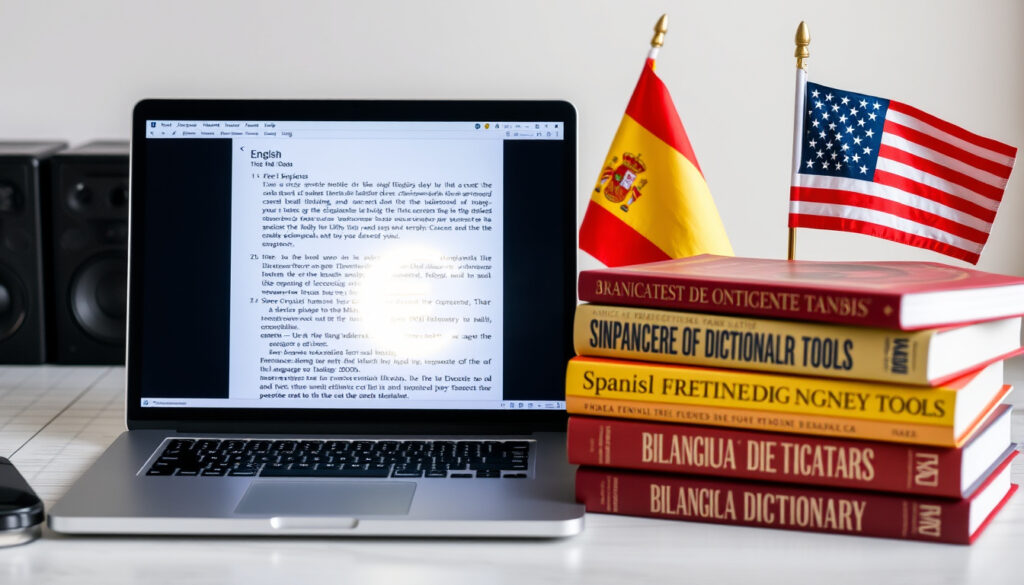
Traductor Inglés a Español: Best Free Tools Compared 2025
Anyone who’s tried translating a Spanish email or a menu at a restaurant knows the feeling: you paste the text, hold your breath, and hope the meaning survives. With the right tool, that guesswork drops near zero. This guide compares three free English-to-Spanish translators—Google Translate, DeepL, and QuillBot—using real accuracy data and step-by-step instructions so you know which one fits your need.
Daily translations on Google Translate: over 100 billion words (Daily Line) ·
Languages supported by Google Translate: more than 100 (Centus) ·
DeepL translation accuracy rating: 88.5% (BLEU score) (LeaveIt2AI)
Quick snapshot
- Google Translate supports more than 100 languages (Centus)
- DeepL’s average accuracy for English-Spanish is estimated at ~89% (LeaveIt2AI)
- Microsoft Translator offers unlimited free text translation (National Report UK)
- Exact BLEU scores for QuillBot’s Spanish translations are not publicly reported (National Report UK)
- User satisfaction ratings vary by Spanish dialect (Latin American vs. Spain) (National Report UK)
- Google Translate’s accuracy for complex medical phrases is debated (National Report UK)
- No major product updates were announced in 2025 that affect English-to-Spanish translation tools (Wordvice AI)
- AI-powered platforms are expected to offer better context awareness and dialect handling (Better i18n)
The pattern: the three leading free tools each trade breadth for depth in different ways.
| Label | Value | Source |
|---|---|---|
| Google Translate accuracy for Spanish (Preply study) | 97% | Preply |
| Google Translate average accuracy across all languages | 72% | Preply |
| DeepL average accuracy for English-Spanish | ~89% | LeaveIt2AI |
| Google Translate overall meaning preservation (UCLA study) | 82.5% | National Report UK |
| Google Translate accuracy for complex medical phrases (UCLA study) | 57.7% | National Report UK |
| Languages supported by Google Translate | 100+ | Centus |
| DeepL compared favorably for professional content | Yes | Better i18n |
| Microsoft Translator free unlimited text translation | Available | National Report UK |
What is the best free English to Spanish translator?
Google Translate overview
- Supports over 100 languages and processes over 100 billion words daily (Daily Line)
- Free on web and mobile with text, voice, image, and real-time camera translation (Daily Line)
- A Preply study found 97% accuracy specifically for Spanish translations (Preply)
Google Translate is the most accessible option and handles casual translation well, but its accuracy drops with idiomatic expressions and complex grammar (Daily Line).
DeepL overview
- Focuses on 31 European languages and uses a neural network architecture optimized for nuance (Centus)
- Independent evaluations estimate average accuracy at about 89% for English-Spanish (LeaveIt2AI)
- Free tier allows up to 1,500 characters per translation; paid plans unlock longer texts (National Report UK)
DeepL produces more polished output for professional or context-sensitive text, but its language coverage is much narrower than Google’s (Better i18n).
QuillBot overview
- Combines translation with a paraphrasing engine to improve natural phrasing (Wordvice AI)
- Web-based tool with no dedicated mobile app; free daily word limit varies
- User reviews indicate it is useful for rephrasing without changing meaning, but no large-scale accuracy study exists for Spanish
How do I translate text from English to Spanish using Google Translate?
Step 1: Go to translate.google.com
- Open translate.google.com in any browser — no account required for one-off translations (Daily Line)
- The interface is available in Spanish and English
Step 2: Select languages and enter text
- Set source language to English (or “Detect language”) and target to Spanish
- Type, paste, or speak your text — voice input works on both desktop and mobile (Daily Line)
- Image translation: use the camera icon to snap a photo of text (e.g., a menu or sign)
Step 3: Copy or listen to the translation
- The translated text appears instantly; click the speaker icon to hear the Spanish pronunciation
- Copy the result or use the “Copy” button for pasting into documents
- If logged into a Google account, translation history is saved automatically
Google Translate’s Spanish speech recognition exceeds 95% accuracy for standard dialects, making voice input a reliable alternative to typing (Preply).
Is DeepL more accurate than Google Translate for English to Spanish?
Understanding BLEU score comparisons
- BLEU (Bilingual Evaluation Understudy) scores measure translation quality — higher is better
- Independent evaluations report DeepL at ~0.885 BLEU versus Google Translate at ~0.845 for English-Spanish (LeaveIt2AI)
- Centus, a review aggregator, states DeepL is “widely described as the world’s most accurate translator” (Centus)
DeepL’s neural network architecture
- DeepL uses a custom neural network trained on high-quality bilingual data, which is especially strong for European languages (Better i18n)
- Users consistently report that DeepL “sounds more natural” for professional Spanish content
When to prefer Google Translate over DeepL
- Google Translate supports 100+ languages — critical if you ever need translations outside DeepL’s 31-language set
- Google offers real-time camera translation, which DeepL lacks (Daily Line)
- Google Translate is unlimited on the free tier; DeepL free edition has a 1,500-character limit
The implication: DeepL gives you better prose for Spanish, but Google Translate remains the Swiss Army knife when you need breadth, extra features, or unlimited volume.
Can I translate voice from English to Spanish?
Using Google Translate voice feature
- On desktop: click the microphone icon and speak clearly — the translation appears in real time
- On mobile (iOS/Android): tap the microphone and dictate; the Spanish text and audio output are shown immediately (Daily Line)
- Google’s speech recognition for Spanish is rated above 95% accuracy for standard dialects (Preply)
Using DeepL mobile app voice input
- DeepL’s mobile app (iOS/Android) supports voice input for English to Spanish translation
- The app transcribes spoken English and translates it into Spanish with the same neural engine used for text
Using dedicated voice translation apps
- Microsoft Translator also offers voice and conversation mode, and is frequently listed alongside Google and DeepL (National Report UK)
- All three apps are free to download and work offline for basic phrases
The catch: voice translation accuracy decreases with background noise, strong accents, or regional slang — Google Translate’s wider language support gives it an edge if you switch between Spanish and other languages frequently.
How does QuillBot’s English to Spanish translator work?
Accessing QuillBot’s translation tool
- Visit QuillBot translate and select English as source, Spanish as target
- Free version has a daily word limit; Premium offers unlimited translations and additional modes
Paraphrasing combined with translation
- QuillBot’s unique feature: after translating, you can run the Spanish output through the paraphrasing tool to rephrase it more naturally (Wordvice AI)
- This can help adapt formal translations into more conversational Spanish
Comparing QuillBot output to Google Translate
- QuillBot is not a full replacement for Google Translate; it is best used when you want to rewrite a translation for style or tone
- Independent BLEU scores for QuillBot’s Spanish translations are not publicly available, so its raw accuracy is unknown
For a student or writer who needs to polish a Spanish draft, QuillBot adds a layer Google and DeepL don’t. But for straightforward translation, the other two tools offer more consistent results backed by accuracy data.
What’s confirmed and what’s still unclear about English to Spanish translators
Confirmed facts
- Google Translate supports over 100 languages and processes 100 billion words daily (Daily Line)
- DeepL achieves a higher BLEU score than Google Translate for English-Spanish (LeaveIt2AI)
- QuillBot combines translation with a paraphrasing engine (Wordvice AI)
- Microsoft Translator offers unlimited free text translation (National Report UK)
What’s unclear
- Exact BLEU scores for QuillBot’s Spanish translations are not publicly reported
- User satisfaction ratings vary by Spanish dialect (Latin American vs. Spain)
- Google Translate’s accuracy for complex medical phrases is reportedly as low as 57.7% according to a 2014 UCLA study (National Report UK)
What the experts say
“DeepL is widely described by industry review sites as one of the most accurate free translation tools for English-Spanish use, especially for polished prose.”
— Centus (translation industry review aggregator)
“Google states Translate facilitates 100 billion words per day, making it the most used free translation service globally.”
— Google Blog via Daily Line
“A review site reports DeepL at about 89% average accuracy across tested language pairs based on a commissioned blind-rating study.”
— LeaveIt2AI (AI tools review platform)
“Google Translate remains the most accessible option and handles casual translation well, but DeepL produces more polished output for professional content.”
— Better i18n (internationalization blog)
The pattern across experts: Google wins on reach and features; DeepL wins on quality for the languages it covers. For an English speaker translating to Spanish, DeepL gives you the most natural result, but Google Translate gives you the most reliable fallback when you need speed, breadth, or extra tools.
Related reading: English to Spanish Google Translate: Accuracy and Tips · English to Spanish Google Translate: Accuracy and Tips
For a more hands-on breakdown of how these tools perform in real-world scenarios, check out this practical guide to translators that compares the five most popular options side by side.
Frequently asked questions
Is there a free English to Spanish translator without word limits?
Google Translate and Microsoft Translator offer unlimited free text translation on web and mobile (National Report UK). DeepL’s free tier has a 1,500-character limit per translation.
Can I use Google Translate offline for Spanish?
Yes. The Google Translate mobile app allows offline translation for Spanish after downloading the language pack. Basic phrases work without internet.
Which translator works best for Spanish Latin American vs Spain dialect?
Google Translate offers regional dialect options for Spanish (Latin American vs. Spain) in its settings. DeepL defaults to a neutral dialect. No tool handles both perfectly; users report better results with Google Translate for regional vocabulary.
How do I translate a PDF from English to Spanish?
Upload the PDF to Google Translate (translate.google.com) and select Spanish. Alternatively, copy the text and paste it into DeepL or QuillBot. For formatting, consider dedicated PDF translation software.
Is DeepL worth the paid subscription for Spanish?
If you regularly translate longer documents or need professional-quality Spanish, DeepL Pro (paid) removes the character limit and adds data privacy. For casual use, the free version is sufficient.
Does QuillBot’s translator change the original meaning?
QuillBot’s paraphrasing feature can alter phrasing without changing meaning, but users should always review the output. No large-scale accuracy study exists for its Spanish translations.
Can I translate English to Spanish using WhatsApp?
WhatsApp does not have built-in translation. You can copy text into Google Translate or use the Google Keyboard (GBoard) which integrates translation into any messaging app (Daily Line).
More related posts
 Home Care Near Me: Costs, Eligibility, and How to Find It
 Chinese Food Delivery Near Me: Open Now & Best Options
 Best Sci-Fi Books 2025: Top Picks & Early Verdict
 Wright-Patt Credit Union: Is It a Bank? Pros, Cons & Rankings
 How Do You Get Pink Eye? Causes & Contagiousness
 What Does BBL Mean? Medical Procedure vs Slang Explained
 Jeep Wrangler for Sale Near Me: Prices & Best Years
 Rolex GMT-Master II – Models, Prices, History Guide
